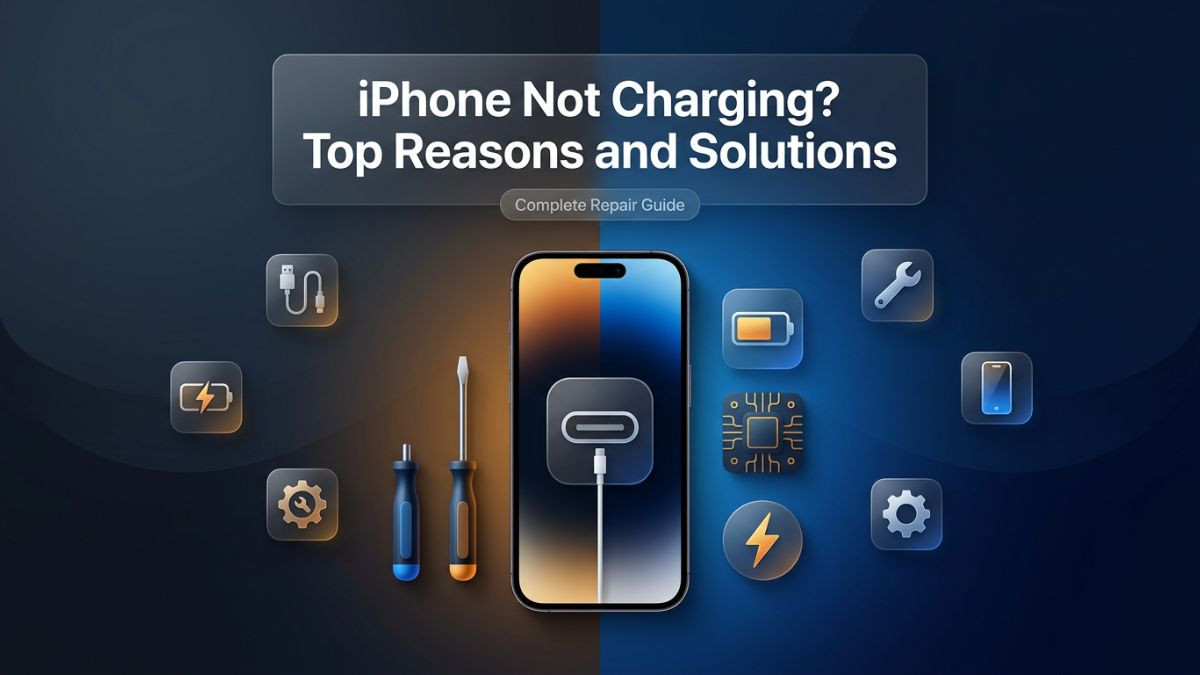
Few things are more frustrating than plugging your iPhone in at the end of a long day and realizing it is not charging. The battery icon sits still. No lightning bolt appears. No charging sound plays. The screen stays dim, and panic starts to settle in. Whether you are dealing with a brand-new iPhone 15 or an older model, charging problems are among the most common issues that iPhone users face — and the reasons behind them are surprisingly varied.
This article is a complete iphone not charging solutions guide written for anyone who wants to understand exactly why their iPhone is refusing to charge and what they can do about it. You will not find vague suggestions here. Every section covers a specific cause in depth, explains the symptoms clearly, walks through practical troubleshooting steps, and tells you when a professional repair service is the right call.
Charging problems can stem from software glitches, dirty ports, damaged cables, faulty accessories, battery degradation, or serious hardware failures. Some of these you can fix yourself in minutes. Others require skilled hands, proper tools, and quality replacement parts. Knowing the difference between the two saves you time, money, and the risk of making a fixable problem worse.
By the time you finish reading, you will have a clear picture of what is causing your iPhone charging problem and exactly what steps to take — whether that means a quick DIY fix at home or a visit to a trusted phone repair shop.
Why Diagnosing Charging Issues Correctly Matters
Before jumping into solutions, it is worth taking a moment to understand why proper diagnosis is so important. Charging problems are deceptive. The same symptom — an iPhone that will not charge — can be caused by a dozen different things. A user who assumes it is the cable might buy a new one, only to find the problem persists because the actual issue was a clogged charging port. Another user might spend money on a battery replacement when the real cause was a software bug that a simple reset would have fixed.
Incorrect assumptions lead to wasted money and unnecessary repairs. Worse, attempting the wrong fix — especially hardware-related ones without proper knowledge — can cause additional damage that turns a minor repair into a major one.
Approaching an iphone charging problem troubleshooting the right way means starting with the simplest, lowest-risk possibilities and working toward more complex ones. This structured approach is exactly how professional repair technicians at reputable phone repair services operate. They run diagnostics, check accessories, inspect hardware, and test software before recommending any repair. That same disciplined process is what this guide is built on.
Reason 1: Dirty or Debris-Filled Charging Port
One of the most common and most overlooked causes of an iPhone not charging is a charging port clogged with lint, dust, dirt, or debris. The charging port on an iPhone sits at the bottom of the device, which means every time you put the phone in a pocket or bag, it collects whatever is in there. Over weeks and months, compressed lint builds up inside the port until it physically prevents the charging cable from making a proper connection.
Symptoms
- Charging cable feels loose or does not click into place securely
- Charging starts and stops intermittently
- iPhone charges only at certain angles
- No response at all when plugged in, even with a known working cable
How to Diagnose It
Shine a flashlight into the charging port and look carefully. If you see a dense, dark layer of material compacted at the bottom, that is almost certainly the problem. Even if you cannot see obvious debris, compressed lint can be nearly invisible to the naked eye.
DIY Fix
Use a wooden or plastic toothpick — never a metal pin — and gently scrape along the bottom and sides of the port. Work carefully and avoid pressing too hard. The goal is to loosen and remove the compacted debris without bending any of the small pins inside the port. A soft-bristle toothbrush or an anti-static brush also works well for light cleaning. Compressed air can help dislodge loose particles, though it should be used at low pressure to avoid forcing debris deeper.
After cleaning, plug in your charger and check if charging resumes. Many users are genuinely surprised that this simple step resolves what felt like a serious problem.
When to See a Professional
If the port looks clean but the cable still does not sit firmly, or if charging remains intermittent after cleaning, the port itself may be physically damaged. A bent pin inside the port, a cracked housing, or a broken connector are all issues that require a proper iPhone repair service. Attempting to force or bend internal pins without the right tools will almost always make things worse.
Reason 2: Damaged or Faulty Charging Cable
Charging cable is the component that takes the most daily abuse. It gets bent, twisted, yanked, folded, and stepped on. Even if the outer jacket looks fine, the internal wiring can break over time, causing intermittent or complete charging failure.
Symptoms
- Charging works only when the cable is held at a specific angle
- The cable works on other devices but not your iPhone
- Fraying, kinking, or visible damage near the connector ends
- The cable becomes warm during use without the device charging
How to Diagnose It
The simplest test is swapping the cable. Try a certified Apple cable or a Made for iPhone (MFi) certified third-party cable. If your iPhone charges immediately with a different cable, the original is defective. This is one of the easiest iphone charging cable not working fix steps and it costs nothing if you have a spare cable on hand.
Why Cheap Cables Are a Risk
Generic, non-certified cables are a significant and underappreciated problem. They may not deliver the correct voltage or amperage your iPhone requires, and they can lack the communication chip that Apple's charging system requires for authentication. Using an uncertified cable can trigger error messages, cause erratic charging behavior, and in some cases, create heat-related damage to the charging circuit over time.
DIY Fix
Replace the cable with an Apple-certified or MFi-certified alternative. This is a simple and inexpensive fix that solves the problem in a large percentage of cases. Always invest in quality cables — the few dollars saved on a cheap cable are rarely worth the long-term risk to your device.
Reason 3: Faulty or Incompatible Charging Adapter
The charging cable is only half of the equation. The power adapter — the brick that plugs into the wall — is equally important. A faulty adapter will either deliver no power at all or fail to deliver the correct wattage, resulting in the iPhone not charging or charging extremely slowly.
Symptoms
- iPhone shows the charging symbol but battery percentage does not increase
- Charging is abnormally slow even with a fast-charge capable iPhone
- The adapter feels unusually hot during use
- No response from the iPhone despite the cable being in good condition
DIY Fix
Test with a different adapter. If you have access to another Apple-branded or MFi-certified adapter, plug it in and observe the result. If charging resumes normally, the original adapter was the problem.
Also check the adapter for physical damage, bent pins, or debris in the USB port of the adapter itself. A dirty or bent adapter port can interrupt the power connection just as much as a dirty iPhone port.
Compatibility Considerations
With the iPhone 15 series and later moving to USB-C, using an older Lightning adapter with a USB-C cable on incompatible models — or vice versa — will obviously not work. If you are troubleshooting an iphone usb c not charging fix scenario, verify that both your cable and adapter are USB-C compatible and that the adapter delivers at least the minimum wattage your model requires. Apple recommends a 20W or higher USB-C adapter for optimal charging speed on recent models.
Reason 4: Software Glitch or iOS Bug
Not all charging problems are hardware related. iOS software can develop bugs, especially after updates, that interfere with the charging system. A software glitch might prevent the iPhone from recognizing that a charger is connected, cause the battery percentage to freeze, or make the device behave as if it is not receiving power even when it physically is.
Symptoms
- iPhone shows "Not Charging" in the battery status even with a working cable and adapter
- Battery percentage does not increase after several minutes of being plugged in
- Problem started immediately after an iOS update
- iPhone responds normally to the charger sometimes but not others
This Is a Known Issue
The iphone not charging after update fix has been a topic across Apple support forums for years. Certain iOS releases have introduced bugs that affect battery management and charging detection. Apple typically issues patch updates relatively quickly, but in the meantime, there are steps you can take.
DIY Fix — Step-by-Step
Step 1: Restart your iPhone. A basic restart clears temporary system states and often resolves minor software conflicts. On Face ID models, press and hold the side button and a volume button simultaneously, then slide to power off. On older models with a home button, hold the top button until the slider appears.
Step 2: Perform a force restart. If a regular restart does not help, a force restart clears a deeper system cache. On iPhone 8 and later: quickly press and release Volume Up, then Volume Down, then hold the Side button until the Apple logo appears.
Step 3: Check for iOS updates. Go to Settings General Software Update. If a newer version is available, install it. Apple frequently includes charging-related bug fixes in minor point releases.
Step 4: Reset all settings. Go to Settings General Transfer or Reset iPhone Reset Reset All Settings. This does not erase your data but resets network settings, display preferences, and other configurations that could affect charging behavior.
Step 5: If all else fails, restore the iPhone via iTunes or Finder on a Mac. This is a more drastic step that reinstalls iOS entirely. Back up your data first.
If the iphone software charging bug fix steps above do not work, the problem may have a hardware root cause that requires professional diagnosis.
Reason 5: Battery Health Degradation
Every rechargeable battery has a finite lifespan measured in charge cycles. Apple considers an iPhone battery to be at optimal health when it retains 80% or more of its original capacity. Below that threshold, users start noticing shorter battery life, unexpected shutdowns, slow charging, and in some cases, the device refusing to charge at all.
How to Check Battery Health
Go to Settings Battery Battery Health and Charging. The percentage shown reflects how much of the original maximum capacity your battery currently holds. If this number is below 80%, your battery is degraded and may be contributing to your charging issues.
Symptoms of a Degraded Battery
- iPhone shuts down unexpectedly, especially under load
- Battery drains extremely fast even with light usage
- The phone takes unusually long to charge from 0% to 100%
- Battery percentage jumps erratically — dropping from 30% to 5% suddenly
Why This Happens
Lithium-ion batteries used in all iPhones degrade through a chemical process that occurs naturally over time and with each charge cycle. Heat accelerates this degradation significantly. Charging your iPhone in hot conditions, leaving it in a car on a summer day, or regularly draining it to 0% before recharging all shorten the battery's functional lifespan.
Solution
Battery replacement is the correct fix for a degraded battery. This is a routine procedure at professional battery replacement service centers and typically restores normal charging behavior immediately. The repair involves opening the device, safely removing the old battery, and installing a new one — all of which require proper tools, safety procedures (lithium-ion batteries can be hazardous if punctured), and quality replacement parts.
The quality of the replacement battery matters enormously. OEM or high-grade aftermarket batteries will perform close to the original. Low-quality generic batteries may charge poorly, drain fast, swell, or fail within weeks. Always choose a repair service that uses quality parts and offers a warranty on the replacement.
| Battery Health |
Expected Performance |
Recommended Action |
| 100% – 85% |
Normal charging and usage |
No action needed |
| 84% – 80% |
Slightly reduced runtime |
Monitor closely |
| 79% – 70% |
Noticeable capacity loss |
Consider replacement |
| Below 70% |
Poor performance, charging issues |
Battery replacement recommended |
| Below 60% |
Likely charging failures, shutdowns |
Immediate replacement necessary |
Reason 6: Damaged Lightning Port or USB-C Port Hardware
While debris in the port is a common and fixable issue, physical damage to the port itself is a different matter entirely. The charging port on an iPhone is a delicate component with small pins, solder points, and a connector housing that can crack, bend, or break under stress.
How Port Damage Happens
- Forcing a cable in at the wrong angle
- Dropping the phone with a cable connected
- Water damage that corrodes the internal contacts
- Repeated insertion and removal wearing down the connector pins
- Using cheap cables with oversized or poorly shaped connectors
Symptoms of a Damaged Port
- The cable wobbles or falls out easily
- Visible cracks or deformations inside the port
- Charging only works when the cable is held at a specific angle under tension
- Accessories do not recognize the device
Repair Process
Fixing a damaged charging port is not a DIY job for most users. It requires disassembling the iPhone, identifying the extent of the damage, and either cleaning and straightening minor damage or replacing the charging port assembly entirely. On many iPhone models, the charging port is integrated into a flex cable assembly that also contains other components, so the replacement part cost and complexity vary by model.
A skilled technician at a reputable iPhone repair service can assess whether the port needs cleaning, mechanical repair, or full replacement. Attempting to force bent pins back into shape with household tools risks snapping them off entirely, at which point soldering or a full board-level repair becomes necessary.
Reason 7: Water Damage to Internal Charging Circuitry
iPhones from the iPhone 7 onward have varying degrees of water resistance, rated under the IP (Ingress Protection) standard. However, water resistance is not the same as waterproof, and it degrades over time as seals and adhesives age. Water intrusion can cause corrosion on the charging circuit board, the battery connector, or the charging port contacts — and corrosion is a subtle, progressive problem that can take days or weeks to fully manifest.
Symptoms of Water Damage Affecting Charging
- Charging stopped working shortly after the device got wet
- Visible corrosion (white, green, or brown residue) inside the port
- Intermittent charging that gets progressively worse
- iPhone powers on but refuses to accept a charge
- Rapid battery drain combined with charging issues
What Happens Inside
When water reaches the internal components, it creates conductive bridges between circuits that should not be connected. This can cause short circuits, component failure, or simply corrode the metal contacts that carry current from the port to the battery. Salt water and other liquids are far more damaging than plain water because they leave conductive mineral deposits as they dry.
How Professionals Handle Water Damage
Effective water damage repair requires ultrasonic cleaning of the logic board, replacement of corroded components, and testing of all affected systems. This is genuinely complex, specialized work. Some repair shops offer board-level repair services with the equipment and expertise to address corrosion properly. Without proper treatment, a device that seems to recover after water exposure will often fail again weeks later as corrosion continues to develop.
If your iPhone got wet and now has charging issues, the advice is straightforward: do not delay. The sooner professional repair is addressed, the better the outcome. Corrosion spreads, and components that are initially salvageable become permanently damaged if left untreated.
Reason 8: Wireless Charging Malfunction (MagSafe and Qi)
iPhones from the iPhone 8 onward support wireless charging via the Qi standard, and iPhone 12 and later models also support MagSafe. If your iPhone is charging wirelessly but not via cable, or vice versa, that narrows the problem significantly. But if neither method works, it points toward a battery or internal power management issue.
Symptoms
- iPhone charges via cable but not on a wireless pad
- iPhone charges on a wireless pad but not via cable
- MagSafe shows connection but no charging progress
- Wireless charging stops and starts repeatedly
Common Causes
- Thick phone cases that interfere with wireless charging
- Misalignment on the charging pad
- A faulty or non-certified wireless charger
- Damage to the internal wireless charging coil
- Software conflicts affecting power management
DIY Troubleshooting
Remove the phone case and try again. Place the iPhone directly on the center of the wireless charging pad. Try a different MagSafe-certified or Qi-certified charger. If the phone charges wirelessly after these steps but not via cable, the cable or port is the issue. If it charges via cable but not wirelessly, the wireless charging coil inside the phone may be damaged — which requires professional repair.
Reason 9: Third-Party App or Background Process Interference
This cause is less commonly discussed but genuinely relevant. Certain applications, particularly resource-intensive ones running in the background, can consume power faster than the charger can deliver it. The result is an iPhone that shows the charging symbol but whose battery percentage stays flat or even decreases while plugged in.
Symptoms
- iPhone shows charging indicator but battery percentage does not increase
- Device is warm while charging, indicating high CPU activity
- Problem improves when the phone is in airplane mode or powered off while charging
- Battery drains even when plugged into a wall adapter
DIY Fix
Close all background apps and attempt charging again. Put the device into Low Power Mode (Settings Battery Low Power Mode) and then plug in. Check Settings Battery for a breakdown of which apps are consuming the most power. If a particular app is consistently near the top of usage, consider restricting its background activity.
For iphone not charging but plugged in fix scenarios where the phone is clearly receiving power (the lightning bolt icon is present) but the battery does not climb, background app activity and screen-on time are the most likely culprits. Charging the phone while it is powered off entirely is the fastest way to isolate this as the cause — if it charges normally when off, the issue is software or app-related rather than hardware.
Reason 10: Logic Board or Power Management IC Failure
This is the most serious category of charging problem. The iPhone's logic board contains a power management integrated circuit (PMIC) that controls how power flows between the charger, the battery, and all other components. If this chip or related components on the logic board fail, the iPhone will not charge regardless of what cable, adapter, or port you use.
Symptoms
- No response to any charging method — wired or wireless
- iPhone powers on but immediately shuts down when unplugged
- Device shows signs of life (vibrates when a cable is inserted) but does not charge
- Charging stopped after a significant drop or physical impact
Why This Happens
Logic board failures related to charging are often caused by power surges (such as being plugged in during an electrical storm), a severe drop that physically damages board-level components, water damage that was not treated, or simply component failure over time due to heat cycling and age.
Repair
This is firmly in the territory of board-level microsoldering repair. A technician with the proper equipment — microscope, hot air rework station, and soldering tools — can diagnose exactly which component on the logic board has failed and either repair or replace it. Not every repair shop offers this level of service. It is specialized, time-consuming work, but it is often the difference between a repaired phone and an expensive replacement.
The cost of board-level repair varies significantly depending on the specific component that has failed and the shop's expertise. However, in many cases, it is still substantially less expensive than purchasing a new iPhone. Always get a diagnostic assessment before assuming a board-level issue is uneconomical to fix.
DIY vs Professional Repair: Knowing When to Act
One of the most important decisions you will face when dealing with an iphone charging problem troubleshooting situation is whether to handle it yourself or take it to a professional repair service. The table below provides a clear comparison to help you make the right choice.
| Issue Type |
DIY Safe? |
Risk Level |
Estimated DIY Cost |
Professional Repair Recommended? |
| Dirty charging port |
Yes |
Low |
Free |
No (unless port is damaged) |
| Faulty cable |
Yes |
None |
$15–$30 |
No |
| Faulty adapter |
Yes |
None |
$20–$40 |
No |
| Software glitch / iOS bug |
Yes |
Low |
Free |
Only if persists |
| Battery degradation |
Possible |
Medium-High |
$30–$70 (parts) |
Strongly recommended |
| Damaged charging port |
Not advised |
High |
Varies |
Yes |
| Water damage |
No |
Very High |
N/A |
Yes, immediately |
| Wireless charging coil damage |
No |
High |
N/A |
Yes |
| Logic board / PMIC failure |
No |
Extremely High |
N/A |
Yes, specialist required |
How to Choose the Right iPhone Repair Service
Not all repair shops offer the same quality of service, parts, or expertise. When selecting a professional for iphone charging repair issue solutions, there are several important factors to evaluate.
Parts Quality
Ask whether the shop uses OEM (Original Equipment Manufacturer) parts, certified aftermarket parts, or generic low-cost components. OEM or high-quality certified parts will perform closest to the original and last significantly longer. Generic parts may be cheaper upfront but often fail sooner and may not communicate correctly with iOS — causing issues like battery health not being readable or charging behaving erratically.
Warranty on Repairs
Reputable repair services offer a warranty on both parts and labor. A minimum of 90 days is standard; 6 to 12 months is a sign of genuine confidence in the quality of work. If a shop does not offer any warranty, that is a meaningful red flag.
Technician Certification
Look for shops with certified or experienced technicians. Apple's Independent Repair Provider program and similar certifications indicate a higher level of training and access to genuine Apple parts or authorized equivalents.
Turnaround Time
For most common repairs — port cleaning, cable replacement, battery replacement, and minor software fixes — same-day or next-day turnaround is standard. More complex repairs, like board-level work, may take longer. A transparent repair shop will give you a realistic time estimate upfront.
Diagnostic Process
Any trustworthy repair service will run a full diagnostic before quoting a repair. Shops that immediately quote a repair price without examining the device are not doing proper iphone charging diagnosis and repair tips work. Proper diagnosis protects you from paying for repairs that will not solve the actual problem.
Comparing Common iPhone Charging Repair Costs
Understanding the general cost landscape helps you evaluate whether a repair quote is reasonable and decide between professional repair and device replacement.
| Repair Type |
DIY Estimated Cost |
Professional Service Cost |
Turnaround Time |
| Port cleaning |
Free |
$0–$20 |
Same day |
| Cable replacement |
$15–$30 |
Included in diagnosis |
Immediate |
| Battery replacement |
$30–$70 (parts only) |
$60–$120 |
Same day |
| Charging port replacement |
Not recommended |
$80–$150 |
Same day – 1 day |
| Water damage treatment |
Not recommended |
$100–$250+ |
1–3 days |
| Logic board / PMIC repair |
Not recommended |
$150–$350+ |
2–5 days |
Note: Costs vary by iPhone model, location, parts quality, and repair shop. Always get a written quote before authorizing repair.
Preventive Care: Protecting Your iPhone's Charging System
Understanding iphone charging issues latest repair methods is useful, but prevention is always the better strategy. A few simple habits can significantly extend the life of your charging port, cable, and battery.
Always insert the charging cable gently and at the correct angle. Never force the connector. Store your cables loosely — avoid wrapping them tightly around your hand or the adapter, as this stresses the internal wiring. Keep the charging port clean by periodically inspecting it and gently removing any lint or debris before it compacts.
Avoid charging your iPhone in extremely hot or cold conditions. Heat is the primary enemy of lithium-ion battery health. Do not leave your phone on a hot car dashboard, in direct sunlight, or under a pillow while charging. Also avoid regularly draining the battery to 0% — keeping the charge between 20% and 80% for daily use helps preserve long-term battery health.
Use only certified cables and adapters. The money saved on cheap accessories is rarely worth the potential damage to your device's charging circuit. A $30 quality cable that lasts two years is far better value than a $5 cable that damages your port within months.
Enable Optimized Battery Charging in Settings Battery Battery Health and Charging. This iOS feature learns your charging habits and slows the charging rate during overnight charges to reduce battery aging. It is a simple setting that makes a meaningful difference over time.
A Note on iPhone Model Differences and Charging Standards
Not all iPhones are the same when it comes to charging. Understanding which charging standard your model uses is relevant to iphone charging problem troubleshooting and to buying the right accessories.
iPhone models up through iPhone 14 use the Lightning connector. iPhone 15 and later use USB-C. If you are working on an iphone lightning port not working solution, the repair approach and replacement parts are specific to Lightning connector models. If you are addressing an iphone usb c not charging fix, the port type, cable, and adapter requirements are different.
Additionally, fast charging capability varies by model. iPhone 8 and later support fast charging, but only with a compatible USB-C to Lightning cable and a USB-C power adapter of 20W or higher. Using a 5W standard adapter will charge the device but significantly more slowly. This distinction is important when investigating an iphone slow charging problem fix — the cause may simply be an underpowered adapter rather than any fault with the device itself.
| iPhone Series |
Connector Type |
Fast Charge Support |
Recommended Adapter |
| iPhone 6 – iPhone 7 |
Lightning |
No |
5W standard |
| iPhone 8 – iPhone 11 |
Lightning |
Yes (20W+) |
20W USB-C |
| iPhone 12 – iPhone 14 |
Lightning |
Yes (20W+) |
20W USB-C MagSafe |
| iPhone 15 and later |
USB-C |
Yes (20W+) |
20W USB-C |
Get Your iPhone Charging Issue Fixed — Fast, Reliable, and Affordable
If you have worked through this guide and still cannot resolve your iPhone charging problem — or if the cause is clearly hardware-related and beyond a safe DIY fix — do not wait. Charging issues rarely improve on their own. In most cases, they progress from minor inconveniences to complete failures if left unaddressed.
At Phone Repair Point Laurel, our certified technicians handle the full spectrum of iPhone charging problems, from quick port cleanings and cable diagnostics to complex battery replacements and board-level repairs. We use high-quality parts, offer transparent pricing, and stand behind our work with a warranty on all repairs.
Whether you are dealing with a slow charge, an unresponsive port, a battery that will not hold a charge, or a device that shows no response at all, our team has the tools, training, and experience to diagnose the problem accurately and fix it efficiently. Same-day service is available for most common repairs. No appointment is necessary — walk-ins are always welcome.
Stop guessing at the cause of your charging problem. Let a professional get it right the first time.
Phone Repair Point Laurel
Montrose Ave, Laurel, MD 20707, US
(240) 554-0099
https://phonerepairpoint.com/
We also service Samsung repair, laptop repair, gaming console repair, screen repair, and a full range of mobile repair needs. One location. Expert service. Real results.
Frequently Asked Questions
Q1: Can a software update really cause my iPhone to stop charging, and how do I fix it?
Yes, certain iOS updates have introduced bugs that affect the charging detection system. The iphone not charging after update fix usually involves performing a force restart, checking for a subsequent patch update in Settings General Software Update, or resetting all settings without erasing data. If the problem persists through multiple restarts and updates, a deeper diagnostic at a professional repair shop is the right next step.
Q2: My iPhone shows the charging symbol but the battery percentage is not going up — what does that mean?
This iphone not charging but plugged in fix scenario is typically caused by one of three things: a power-hungry background app consuming energy faster than the charger can deliver it, an underpowered adapter that cannot keep up with the device's demand, or a degraded battery that is not accepting a charge efficiently. Start by closing all background apps, switching to Low Power Mode, and testing with a higher-wattage adapter. If the issue continues, a battery health check and possible battery replacement may be necessary.
Q3: How much does it cost to repair an iPhone charging port, and is it worth it?
Professional charging port replacement typically costs between $80 and $150 depending on the iPhone model and the repair shop. In most cases, it is absolutely worth the cost compared to purchasing a new iPhone, which can run $800 to $1,200 or more. The repair is straightforward for skilled technicians and, when performed with quality parts, restores full charging functionality with a durable result. Always request a diagnostic first to confirm the port is actually the cause.
Q4: Is it safe to leave my iPhone plugged in overnight?
For modern iPhones with the Optimized Battery Charging feature enabled, overnight charging is generally safe. This feature delays charging past 80% until just before your typical wake time, reducing the stress on the battery from extended periods at full charge. That said, using a non-certified charger or a cheap cable overnight carries risks, including heat generation and power inconsistencies. Always use a certified charger and enable optimized charging in Settings Battery Battery Health and Charging for the safest overnight routine.
Q5: How do I know if my iPhone charging issue is hardware or software related?
A quick way to distinguish is to attempt charging while the iPhone is powered completely off. If it charges normally when off but not when on, the problem is likely software or app related — an iphone software charging bug fix through a restart, update, or reset is likely sufficient. If it does not charge even when powered off, using multiple known-good cables and adapters, the issue is almost certainly hardware — a damaged port, degraded battery, or internal component failure that requires professional repair.
Q6: Why does my iPhone charge slowly even with a fast charger?
Slow charging despite using a fast charger is a common complaint and can have several causes. The cable may not be USB-C to Lightning or USB-C to USB-C rated for fast charging — not all cables support the higher data transfer rates needed for fast charging protocols. The adapter may not deliver sufficient wattage. Low Power Mode and Optimized Battery Charging can also deliberately slow the charge rate under certain conditions. If all accessories check out, an iphone slow charging problem fix may require examining battery health, as degraded batteries often charge more slowly. If the battery health is below 80%, replacement is likely the most effective solution.